Temas personalizados
Tip
Puedes explorar temas adicionales aquí.
Temas
HD Admin incluye más de 20 temas gratuitos, desde Dark hastaLight, pasando por Cyberpunk, Cafe y Tycoon. Cada juego y cada jugador (si se permite) puede elegir el suyo desde la página de Ajustes.
Agrega el tuyo
Solo agrega un ModuleScript dentro de Config > Themes con cualquiera de los siguientes valores:
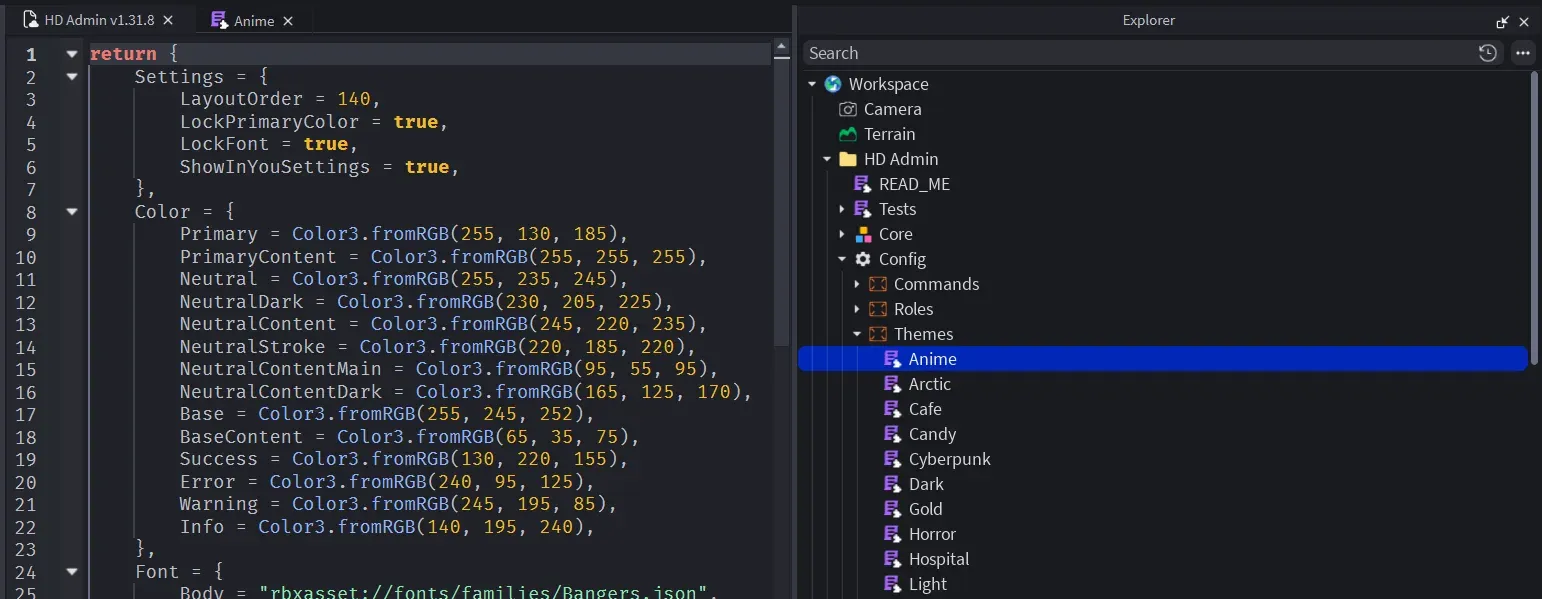
return {
    Color = {
        Primary = Color3.fromRGB(92, 124, 255),
        Neutral = Color3.fromRGB(39, 39, 42),
        NeutralDark = Color3.fromRGB(17, 17, 18),
        NeutralContent = Color3.fromRGB(61, 61, 63),
        NeutralStroke = Color3.fromRGB(49, 49, 52),
        NeutralContentMain = Color3.fromRGB(212, 212, 216),
        NeutralContentDark = Color3.fromRGB(161, 161, 170),
        Base = Color3.fromRGB(24, 24, 27),
        BaseContent = Color3.fromRGB(255, 255, 255),
        Success = Color3.fromRGB(34, 197, 94),
        Error = Color3.fromRGB(239, 68, 68),
        Warning = Color3.fromRGB(251, 191, 36),
        Info = Color3.fromRGB(34, 211, 238),
    },
    Font = {
        Body = "rbxasset://fonts/families/BuilderSans.json",
        Heading = "rbxasset://fonts/families/BuilderSans.json",
    },
    FontWeight = {
        Light = Enum.FontWeight.Light,
        Regular = Enum.FontWeight.Regular,
        Body = Enum.FontWeight.SemiBold,
        Bold = Enum.FontWeight.Bold,
        Heading = Enum.FontWeight.Heavy,
    },
    TextSize = {
        Title = 22,
        Subtitle = 18,
        Body = 16,
        Label = 14,
        Small = 12,
    },
    Layout = {
        CornerRadius = 6,
        StrokeThickness = 1,
        Spacing = 18,
        Padding = 16,
        Sizing = 16,
        ContentScale = 1,
    },
    Sound = {
        Hover = "rbxassetid://10066936758",
        Click = "rbxassetid://16480549841",
        Focus = "rbxassetid://16480549841",
        Switch = "rbxassetid://9119713951",
    },
    Settings = {
        LayoutOrder = 100, -- its position in the themes list
        ShowInYouSettings = true, -- players can pick it as their personal theme
        LockPrimaryColor = false, -- stop players changing the primary colour over this theme
        LockFont = false, -- stop players changing the font over this theme
    },
}
Mantenlo simple
Un tema se construye a partir del tema base Dark, así que solo necesitas incluir los cambios que quieras:
return {
    Settings = {
        LayoutOrder = 20,
        ShowInYouSettings = true,
    },
    Color = {
        Neutral = Color3.fromRGB(255, 255, 255),
        NeutralDark = Color3.fromRGB(200, 200, 206),
        NeutralContent = Color3.fromRGB(210, 210, 216),
        NeutralStroke = Color3.fromRGB(200, 200, 206),
        NeutralContentMain = Color3.fromRGB(82, 82, 91),
        NeutralContentDark = Color3.fromRGB(145, 145, 155),
        Base = Color3.fromRGB(234, 234, 239),
        BaseContent = Color3.fromRGB(55, 55, 65),
    },
}
