Özel Temalar
Tip
Bonus temalara buradan göz atabilirsin.
Temalar
HD Admin, Dark temasından Light temasına, Cyberpunk, Cafe ve Tycoon gibi temalara kadar 20'den fazla ücretsiz tema ile gelir. Her oyun ve (izin verilmişse) her oyuncu kendi temasını Ayarlar sayfasından seçebilir.
Kendi temanı ekle
Config > Themes altına bir ModuleScript ekle ve içine aşağıdaki değerlerden istediklerini yaz:
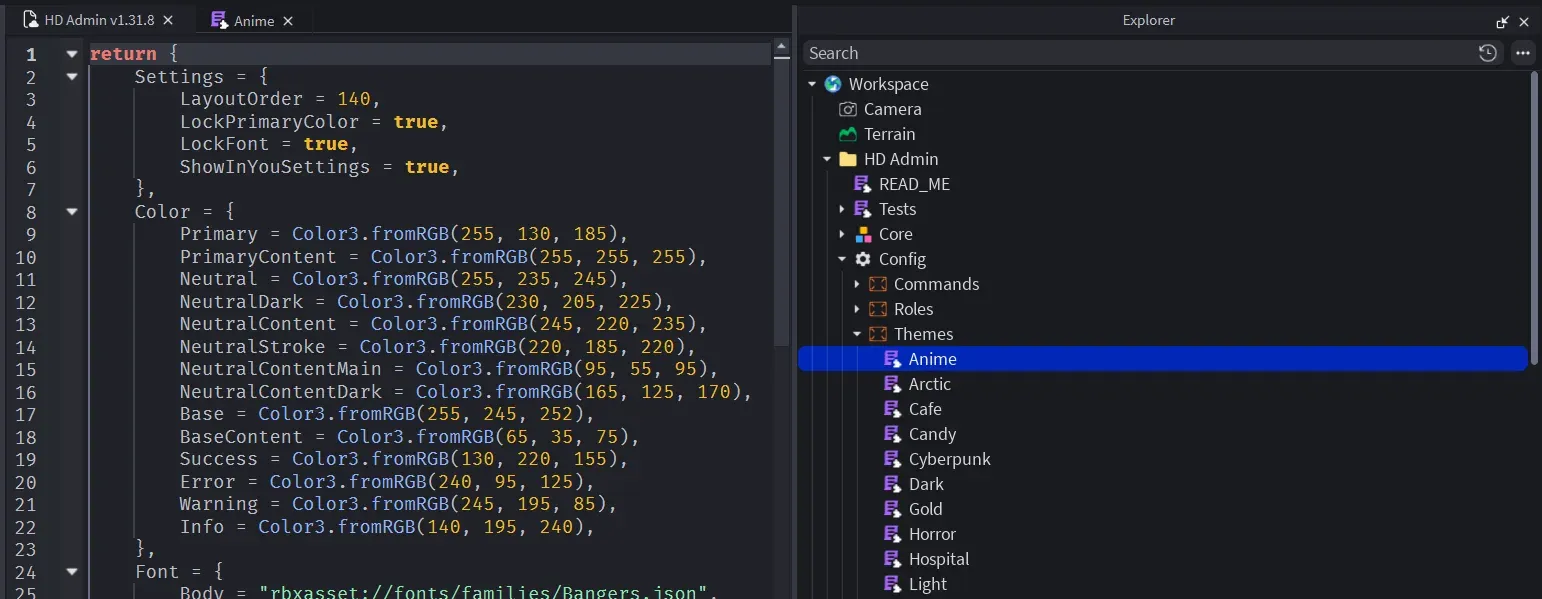
return {
    Color = {
        Primary = Color3.fromRGB(92, 124, 255),
        Neutral = Color3.fromRGB(39, 39, 42),
        NeutralDark = Color3.fromRGB(17, 17, 18),
        NeutralContent = Color3.fromRGB(61, 61, 63),
        NeutralStroke = Color3.fromRGB(49, 49, 52),
        NeutralContentMain = Color3.fromRGB(212, 212, 216),
        NeutralContentDark = Color3.fromRGB(161, 161, 170),
        Base = Color3.fromRGB(24, 24, 27),
        BaseContent = Color3.fromRGB(255, 255, 255),
        Success = Color3.fromRGB(34, 197, 94),
        Error = Color3.fromRGB(239, 68, 68),
        Warning = Color3.fromRGB(251, 191, 36),
        Info = Color3.fromRGB(34, 211, 238),
    },
    Font = {
        Body = "rbxasset://fonts/families/BuilderSans.json",
        Heading = "rbxasset://fonts/families/BuilderSans.json",
    },
    FontWeight = {
        Light = Enum.FontWeight.Light,
        Regular = Enum.FontWeight.Regular,
        Body = Enum.FontWeight.SemiBold,
        Bold = Enum.FontWeight.Bold,
        Heading = Enum.FontWeight.Heavy,
    },
    TextSize = {
        Title = 22,
        Subtitle = 18,
        Body = 16,
        Label = 14,
        Small = 12,
    },
    Layout = {
        CornerRadius = 6,
        StrokeThickness = 1,
        Spacing = 18,
        Padding = 16,
        Sizing = 16,
        ContentScale = 1,
    },
    Sound = {
        Hover = "rbxassetid://10066936758",
        Click = "rbxassetid://16480549841",
        Focus = "rbxassetid://16480549841",
        Switch = "rbxassetid://9119713951",
    },
    Settings = {
        LayoutOrder = 100, -- its position in the themes list
        ShowInYouSettings = true, -- players can pick it as their personal theme
        LockPrimaryColor = false, -- stop players changing the primary colour over this theme
        LockFont = false, -- stop players changing the font over this theme
    },
}
Basit tut
Bir tema temel Dark temasının üzerine kurulur, yani sadece değiştirmek istediklerini yazman yeterli:
return {
    Settings = {
        LayoutOrder = 20,
        ShowInYouSettings = true,
    },
    Color = {
        Neutral = Color3.fromRGB(255, 255, 255),
        NeutralDark = Color3.fromRGB(200, 200, 206),
        NeutralContent = Color3.fromRGB(210, 210, 216),
        NeutralStroke = Color3.fromRGB(200, 200, 206),
        NeutralContentMain = Color3.fromRGB(82, 82, 91),
        NeutralContentDark = Color3.fromRGB(145, 145, 155),
        Base = Color3.fromRGB(234, 234, 239),
        BaseContent = Color3.fromRGB(55, 55, 65),
    },
}
