Tema Kustom
Tip
Kamu bisa cari tema bonus di sini.
Tema
HD Admin hadir dengan lebih dari 20 tema gratis, dari Dark sampaiLight, sampai Cyberpunk, Cafe dan Tycoon. Setiap game dan pemain (kalau diizinkan) bisa memilih tema sendiri dari halaman Pengaturan.
Tambahkan tema sendiri
Cukup tambahkan ModuleScript di bawah Config > Themes dengan nilai-nilai berikut:
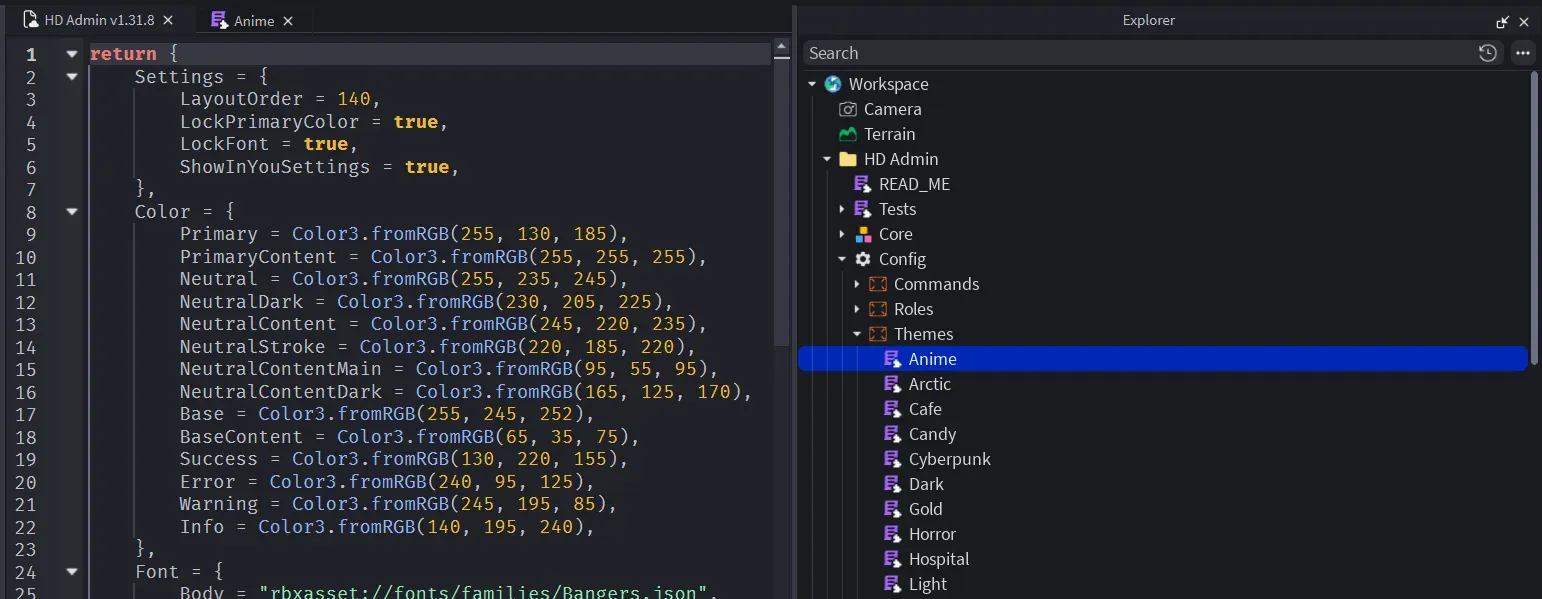
return {
    Color = {
        Primary = Color3.fromRGB(92, 124, 255),
        Neutral = Color3.fromRGB(39, 39, 42),
        NeutralDark = Color3.fromRGB(17, 17, 18),
        NeutralContent = Color3.fromRGB(61, 61, 63),
        NeutralStroke = Color3.fromRGB(49, 49, 52),
        NeutralContentMain = Color3.fromRGB(212, 212, 216),
        NeutralContentDark = Color3.fromRGB(161, 161, 170),
        Base = Color3.fromRGB(24, 24, 27),
        BaseContent = Color3.fromRGB(255, 255, 255),
        Success = Color3.fromRGB(34, 197, 94),
        Error = Color3.fromRGB(239, 68, 68),
        Warning = Color3.fromRGB(251, 191, 36),
        Info = Color3.fromRGB(34, 211, 238),
    },
    Font = {
        Body = "rbxasset://fonts/families/BuilderSans.json",
        Heading = "rbxasset://fonts/families/BuilderSans.json",
    },
    FontWeight = {
        Light = Enum.FontWeight.Light,
        Regular = Enum.FontWeight.Regular,
        Body = Enum.FontWeight.SemiBold,
        Bold = Enum.FontWeight.Bold,
        Heading = Enum.FontWeight.Heavy,
    },
    TextSize = {
        Title = 22,
        Subtitle = 18,
        Body = 16,
        Label = 14,
        Small = 12,
    },
    Layout = {
        CornerRadius = 6,
        StrokeThickness = 1,
        Spacing = 18,
        Padding = 16,
        Sizing = 16,
        ContentScale = 1,
    },
    Sound = {
        Hover = "rbxassetid://10066936758",
        Click = "rbxassetid://16480549841",
        Focus = "rbxassetid://16480549841",
        Switch = "rbxassetid://9119713951",
    },
    Settings = {
        LayoutOrder = 100, -- its position in the themes list
        ShowInYouSettings = true, -- players can pick it as their personal theme
        LockPrimaryColor = false, -- stop players changing the primary colour over this theme
        LockFont = false, -- stop players changing the font over this theme
    },
}
Tetap sederhana
Sebuah tema dibuat dari tema dasar Dark, jadi kamu hanya perlu menulis perubahan yang kamu mau:
return {
    Settings = {
        LayoutOrder = 20,
        ShowInYouSettings = true,
    },
    Color = {
        Neutral = Color3.fromRGB(255, 255, 255),
        NeutralDark = Color3.fromRGB(200, 200, 206),
        NeutralContent = Color3.fromRGB(210, 210, 216),
        NeutralStroke = Color3.fromRGB(200, 200, 206),
        NeutralContentMain = Color3.fromRGB(82, 82, 91),
        NeutralContentDark = Color3.fromRGB(145, 145, 155),
        Base = Color3.fromRGB(234, 234, 239),
        BaseContent = Color3.fromRGB(55, 55, 65),
    },
}
