DataStores
HD Admin keeps all of its saved data in a single DataStore called HDAdmin:

This is organised through two paths, PlayerStore and GameStore:
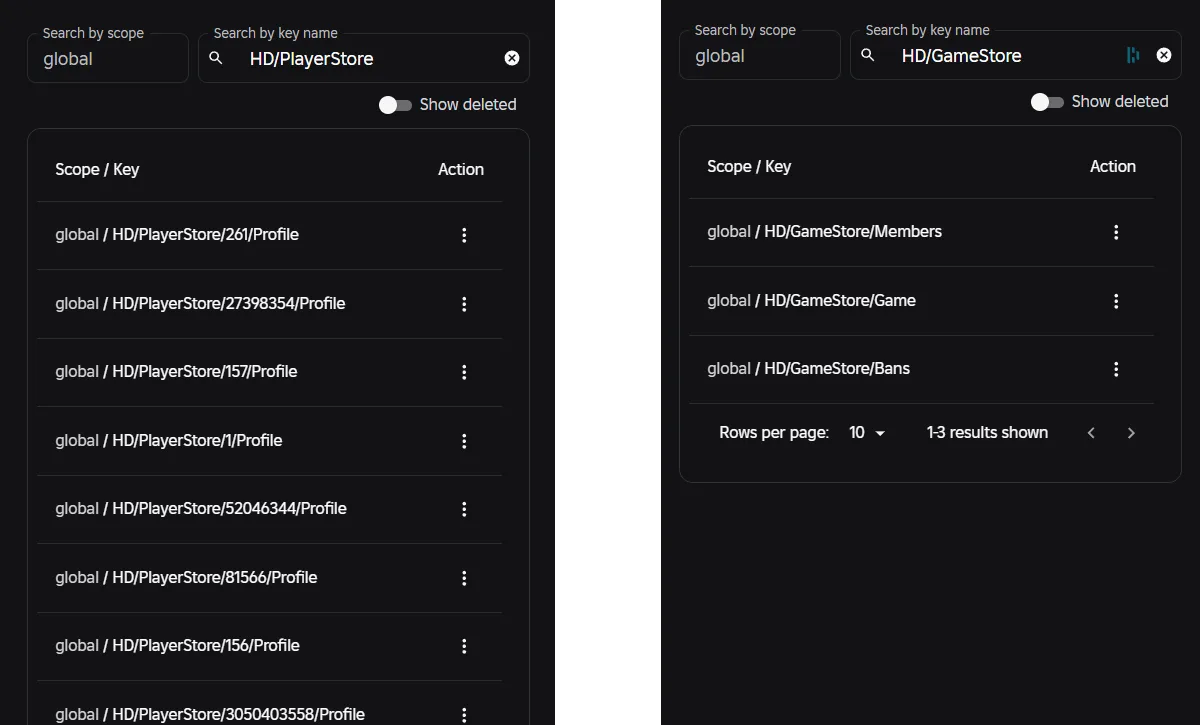
...which contain the following data:
| Data | Key |
|---|---|
| A player's profile | HD/PlayerStore/[USER_ID]/Profile |
| Game-wide data (roles, game settings, vetted commands, etc) | HD/GameStore/Game |
| Bans | HD/GameStore/Bans |
| Permanent role members | HD/GameStore/Members |
| Warns | HD/GameStore/Warns |
| Logs | HD/GameStore/Logs |
Only changes are saved
v1 wrote a player's entire dataset on every save. v2 instead tracks the difference against defaults and saves only what actually changed. If a player never changes a setting, gains a role, or receives a ban, nothing is ever written for them. Game-wide edits work the same way too, where only the fields you change are stored, while the defaults are filled back in at startup.
Info
This keeps profiles small, write-requests minimal, and reduces what HD Admin adds to your DataStore budget.
Safe by design
We've designed the way HD Admin handles data to mirror the best practises of top games:
| Feature | What it does |
|---|---|
| Session locking | Player profiles are session-locked, so two servers can never write over each other's changes if a player hops servers quickly or appears in two at once |
| Self-cleaning | Expired time-bans, server-scoped entries and stale records are dropped automatically when data loads, so old junk never builds up in storage |
| GDPR ready | Player data is saved with the player's UserId attached, so Roblox's right-to-erasure tooling tracks it automatically |
| Studio friendly | If Studio API access is disabled, HD Admin falls back to defaults with a single console notice instead of erroring |
Resetting data
ConfigSettings comes with a setting called DataGroupName (default "HD") that you can change to fully reset all data from HD Admin, including player profiles, roles and bans.
Tip
The old data is untouched if you change DataGroupName, so switching back to its original value will restore all previous data.
