Custom Commands
Tip
You can browse for bonus commands here.
Commands
Commands are simply tables of information describing what they are and how they should run. They've been designed their way for a few key reasons:
| Memory | When a command is run, it can now be represented as a 'task' which staff can easily view and cancel. They automatically clean themselves up so that memory is never leaked, and designed so that you don't even have to write a separate undo function. |
| Reach | Because tasks are no-longer dependent on a specific player running the command (i.e. the caller), any command can work with any modifier, meaning commands you write are instantly broadcastable to all servers. |
| Safety | Arguments are validated before run is ever called, so a Player argument arrives as a real Player, a Number always arrives within its allowed range, etc. Your code never handles raw text, and callers can never run a command their roles can't use. |
| Interface | The Run page, command bar suggestions and autocompletes are generated automatically from your args, so every command you write is instantly usable by players who can't chat. |
| Typed | Commands are fully typed, so annotating your commands with CommandAPI.Commands gives you autocompletes and type warnings as you write. |
Create your own
Under ConfigCommands, simply extend upon the existing Custom module, or add your own module with as many command tables as you like:

--!strict
-- LOCAL
local TAGS = {"CoolCommands"}
local StarterPlayer = game:GetService("StarterPlayer")
local CommandAPI = require(script:FindFirstAncestor("HD Admin").Core.CommandAPI)
local getHumanoid = CommandAPI.getHumanoid
local getHRP = CommandAPI.getHRP

-- COMMANDS
local commands: CommandAPI.Commands = {

    --------------------
    {
        name = "Jump",
        args = {"Player"},
        tags = TAGS,
        run = function(task: CommandAPI.Task)
            local target = task.target
            local humanoid = getHumanoid(target)
            if not humanoid then return end
            humanoid.Jump = true
        end,
    },

    --------------------
    {
        name = "Fire",
        args = {"Player"},
        tags = TAGS,
        run = function(task: CommandAPI.Task)
            local target = task.target
            local hrp = getHRP(target)
            if not hrp then return end
            task:keep("UntilTargetRespawns")
            local fire = task.janitor:add(Instance.new("Fire"))
            fire.Parent = hrp
        end,
    },

    --------------------

}

return commands
Client commands
Command code by default is only available and run on the server, whereas may need it to run on the client. To overcome this, a ModuleScript named Client can be added under the command module, with command tables containing name values that match the commands on the server:

--!strict
-- LOCAL
local TAGS = {script.Name}
local CommandAPI = require(script:FindFirstAncestor("HD Admin").Core.CommandAPI)

-- COMMANDS
local commands: CommandAPI.Commands = {

    --------------------
    {
        name = "Flash",
        args = {"Player"},
        tags = TAGS,
        run = function(task: CommandAPI.Task)
            local target = task.target
            task.client:run(target)
        end,
    },

    --------------------

}

return commands

--!strict
-- LOCAL
local CommandAPI = require(script:FindFirstAncestor("HD Admin").Core.CommandAPI)
local Players = game:GetService("Players")
local TweenService = game:GetService("TweenService")

-- COMMANDS
local clientCommands: CommandAPI.ClientCommands = {

    --------------------
    {
        name = "Flash",
        run = function(task: CommandAPI.Task)
            local localPlayer = Players.LocalPlayer
            local playerGui = localPlayer:FindFirstChildOfClass("PlayerGui")
            if not playerGui then
                return
            end
            local screenGui = Instance.new("ScreenGui")
            screenGui.Name = "HDCustomFlash"
            screenGui.IgnoreGuiInset = true
            screenGui.DisplayOrder = 999
            local frame = Instance.new("Frame")
            frame.BackgroundColor3 = Color3.new(1, 1, 1)
            frame.Size = UDim2.fromScale(1, 1)
            frame.Parent = screenGui
            screenGui.Parent = playerGui
            local tween = TweenService:Create(frame, TweenInfo.new(1), {BackgroundTransparency = 1})
            tween.Completed:Once(function()
                screenGui:Destroy()
            end)
            tween:Play()
        end,
    },

    --------------------

}

return clientCommands
Contains flashing images. Click to view
Info
You don't replicate anything yourself. The framework detects any child module named Client and moves it to players automatically.
Command fields
Every field except name is optional:
| Naming | |
|---|---|
name Shared |
The command title displayed and what players type after their prefix. It doubles as the undo name, so ;speed ends with ;unspeed |
aliases Server |
Other names that trigger this command`` |
undoAliases Server |
Names that undo the command instead of running it (e.g. NoClip uses {"Clip"}) |
description Server |
A sentence shown under the command on its run page |
credit Server |
Who to credit for the command (e.g. {"GigsD4X"}) |
| Running | |
|---|---|
args Server |
The arguments your command takes (e.g. "Player", "Text", "Number", etc. You can find the full list under MainModuleValueModulesParserArgs |
run Shared |
Your command's code. On the server, it's given a task and the validated arguments, while on the client its given a task then what the server passed to it in task.client:run |
replication Client |
A function where data returned from the server lands. Your client calls task.server:replicate, the server's task.client.replicator picks who receives it, then this runs on their client |
config Server |
Default values game devs can change through modify when they load internal commands |
cooldown Server |
Seconds to wait after the command finishes before it can run again |
stackable Server |
Typically only one command can be active on any player/server at once, but when this is true, it enables several at once |
groups Server |
Commands sharing a group undo each other (e.g. Fly and NoClip are both in group "Flight", so starting one ends the other) |
| Reach | |
|---|---|
tags Server |
The tags this command will inherit, which is then used by roles to decide what commands to inherit |
disableModifiers Server |
Prevents Modifiers being used on the command |
disableGlobalModifiers Server |
Prevents the global modifiers (e.g. global, perm, join, etc) being used on the command |
| Interface | |
|---|---|
order Server |
Its position on the commands page. Lower numbers come first |
hide Server |
Hides the command from the Commands page |
autoPreview Server |
When a command is run via chat or the quick-preview button, it opens the Run page instead of running the command (e.g. Ban uses this to confirm the details first) |
Custom arguments
The built-in arguments (under MainModuleValueModulesParserArgs) cover most arguments you'll need, but if you'd ever like to create your own, you can do so under Config > Args:

return function(Args)
    return {

        ["Radius"] = Args.createAliasOf("Number", {
            display = "Radius",
            min = 0,
            max = 500,
            step = 1,
            default = 50,
        }),

    }
end
Warning
Make sure the name you choose doesn't match any of HD Admin's built-in arguments, otherwise it'll warn on startup and one will win over the other.
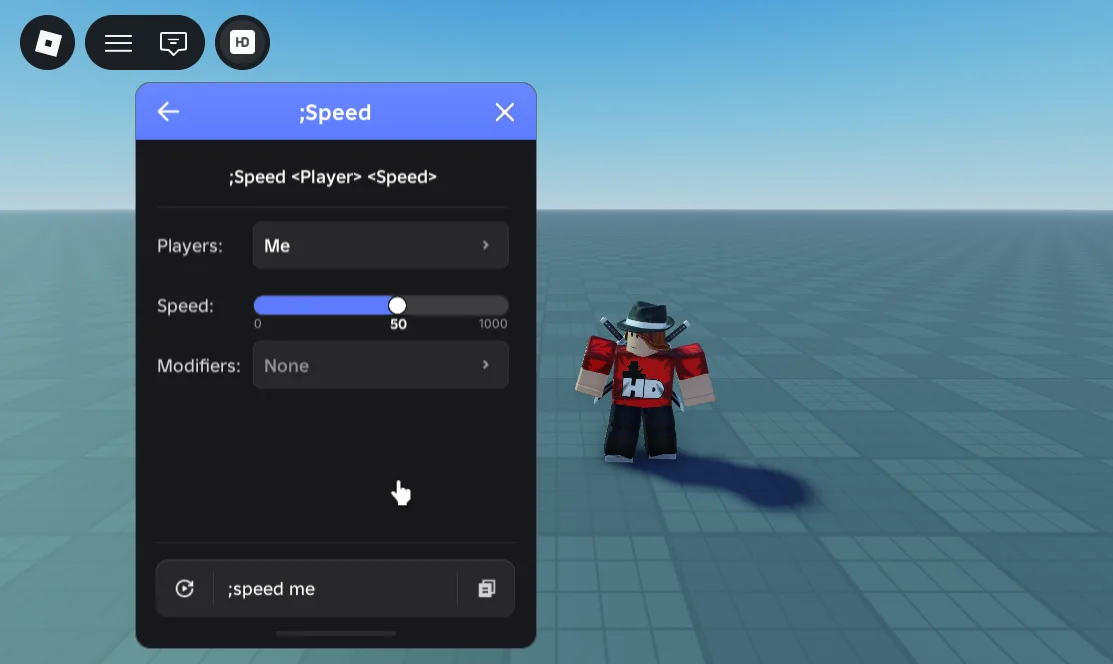
If you'd like to modify the argument(s) of a single command, you can alternatively swap its arg name for an arg table:
args = {
    "Player",
    {arg = "Number", display = "Speed", default = 50, min = 0, max = 1000, step = 1, logarithmic = true},
},
args = {
    "Player",
    "Number",
},
Tip
This is useful when you want to update the constraints of an arg without replacing its behaviour entirely:
Args
To retrieve a commands arg, use task:getArg() and specify either its name or index:
args = {"Player", "Number"},
run = function(task: CommandAPI.Task)
    local target = task:getArg("Player")
    local number = task:getArg("Number")
    -- ...
end
args = {"Player", "Number"},
run = function(task: CommandAPI.Task)
    local target = task:getArg(1)
    local number = task:getArg(2)
    -- ...
end
Note
Retrieving an arg via its index is necessary when a command has two or more of the same arg: {"Player", "Number", "Number"}
When "Player" is used as the first arg, its command is run separately on every player that was targeted. In this scenario, you can use task.target to refer to the "Player":
args = {"Player", "Number"},
run = function(task: CommandAPI.Task)
    local target = task.target
    local number = task:getArg("Number")
    -- ...
end
Persistence
A task is destroyed the moment run finishes. This is fine for commands like ;jump which end instantly... but less desirable for commands such as music which want their effects to remain. As a result, any command that we wish to keep alive must go through task:keep:
task:keep("UntilTargetRespawns")
| Persistence | The task ends when |
|---|---|
"UntilTargetRespawns" |
the target respawns or leaves |
"UntilTargetLeaves" |
the target leaves |
"UntilCallerRespawns" |
whoever ran the command respawns or leaves |
"UntilCallerLeaves" |
whoever ran the command leaves |
"Indefinitely" |
someone ends it with ;un, or the player leaves |
Tip
You can combine multiple 'keeps' together. For example, doing task:keep("UntilTargetLeaves") and task:keep("UntilCallerLeaves") will end the command when either its caller or target leave the server.
Buffs
Changing properties, such as WalkSpeed in humanoids, is typically a straightforward job. You just set set its property to your desired value and all done. This becomes slightly more complex when multiple commands are involved.
Lets pretened your health is 100, and you run ;health me 500 then ;god me. ;health initially sets your health to 500, then ;god changes it to 99999. This works fine... but what if you then want to remove the god task while keeping health? In a lot of admin systems, the undoing of god would just reset your health back to 100, ignoring the still-applied health task. This is undesirable, and where buffs come in handy:
task:buff(target, "WalkSpeed", function(hasEnded: boolean, original: any)
    local humanoid = getHumanoid(target)
    local before = if humanoid then humanoid.WalkSpeed else StarterPlayer.CharacterWalkSpeed
    if humanoid then
        humanoid.WalkSpeed = if hasEnded then original else task:getArg("Number")
    end
    return before
end)
A buff is just your code plus the group it belongs to (such as "WalkSpeed" in this example). Every time a task in that group starts or ends, all of its buffs are run again in order, so your property always lands on whatever the final command wants.
You can also return an original value, meaning the value that gets remembered by the earliest buff in the group. When the last buff is removed, your property can be set back to this original value, so your health returns to 100 rather than whatever the previous command happened to leave behind.
Networking
To reach our client commands from the server, we utilise task.client:
local part = Instance.new("Part")
task.client:expose(target, part)
task.client:run(target, part , "Hello this is a part from the server")
run = function(task: CommandAPI.Task, part, message)
    print("part, message =", part, message)
end
Important
Using task:expose is essential for newly created instances/models on the server that we want to share with clients, otherwise there's a possibility they won't be received
There are often times when the client would also like to share information with the server, or even other clients. For example, when using ;laserEyes, we want other clients to see our laser beams and where we're pointing them. To achive this, we utilise task.server:
-- The client's device knows something that others don't
task.server:replicate(targetCFrame, lookCFrame)
-- Your chance to pick who sees it, and to throw out anything dodgy
task.client.replicator = function(replicateTo, targetCFrame, lookCFrame)
    if typeof(targetCFrame) ~= "CFrame" or typeof(lookCFrame) ~= "CFrame" then
        return
    end
    for _, player in getTargets("OthersNearby", target, 100) do
        replicateTo(player, target, targetCFrame, lookCFrame)
    end
end
-- Runs on every client the server chose in the same client module
replication = function(target: Player, targetCFrame: CFrame, lookCFrame: CFrame)
    -- Show it happening on their screen
end,
Important
It's important you check the values within the replicator are what you expect as the client is always capable of sending malicious or different values
Info
Nothing reaches another player unless your replicator sends it, so a client can't quietly broadcast whatever it likes. The amount of replication-requests is also capped internally, and over potential abuses from clients accounted for
Prompts
Running commands is one thing... but tweaking them while they run is even nicer. This is where you can use task:bindPrompt to give the caller a card they can adjust:
local function applyLaserColour()
    local colour = task:getArg("Color")
    -- set the beam colours, eye colours, etc
end

applyLaserColour()
task:bindPrompt({
    args = {"Color"},
    onChange = applyLaserColour,
})
You can also add buttons for one-off actions:
task:bindPrompt({
    title = "Teleport",
    text = `Click to teleport to '{placeName}'`,
    deactivate = false,
    endOnClose = true, -- dismissing the card ends its task
    buttons = {
        {
            label = "Teleport",
            onActivate = onActivate,
        },
    },
})
Every key the card accepts, including confirm buttons, extra toggles and the Re-run button, is listed under task:bindPrompt. For plain notices and messages see prompt.
You can learn more details on tasks and their available methods at Task API.
